Skip to content
Check E-ChallanIndependent guides · Pakistan Check Now
Menu

Author: Zeeshan

  • E Challan Paid But Still Showing Unpaid? Why It Happens and How to Fix It

    You opened your JazzCash or Easypaisa app, entered the PSID, watched the money leave your account — and now the portal still says your fine is pending. E challan paid but still showing unpaid is one of the most common and most panic-inducing situations for drivers in Punjab: the money is gone, the record looks unpaid, and the fear of being fined again sets in. The good news is that in almost every case this is a sync delay, not a lost payment. This guide explains why it happens, how long it normally lasts, the one costly mistake to avoid, and exactly who to contact if the delay runs too long.

    Quick answer: If your e-challan is paid but still shows unpaid, don’t panic — the status usually flips the same day, but bank-to-PSCA sync is not instant, so allow 24-72 hours. Keep your receipt (JazzCash/Easypaisa confirmation or bank reference) and re-check echallan.psca.gop.pk. Do not pay again during this window. If it is still unpaid after 72 hours, call the PSCA helpline 15 and select option 6, with your PSID and receipt ready.

    Last verified: 7 November 2026 by Zeeshan. Sources: PSCA e-challan portal, ePay Punjab, Dawn, 14 March 2026 (PSCA helpline 15, option 6). This site is independent and not a government service.

    What to Do at a Glance

    Time since payment What it usually means What to do
    0–24 hours Normal sync delay Keep the receipt. Do not pay again.
    24–72 hours Batch reconciliation still pending (longer over weekends and holidays) Re-check echallan.psca.gop.pk once a day. Do not pay again.
    More than 72 hours Needs a manual trace Call 15, option 6, with PSID, transaction ID, date and channel.
    Wallet/bank shows “reversed” or “refunded” The payment failed Pay again with the same, still-valid PSID.

    Why Does a Paid Challan Still Show Unpaid?

    Your payment does not travel directly from your wallet to the PSCA portal. Every e-challan payment passes through a chain:

    1. Your wallet, bank app, or ATM accepts the payment against the PSID — the Payment System Identifier, a 17-digit number unique to that challan.
    2. The payment moves through the interbank/1-Link network to the provincial payment system.
    3. PSCA reconciles the batches and updates the challan record on echallan.psca.gop.pk.

    That last step — the payment reconciliation delay — is where your challan gets stuck. PSCA updates records in batches, not in real time. A JazzCash payment not reflected on the portal, or an Easypaisa challan payment stuck at “pending,” usually means your transaction is sitting in the middle of the chain, waiting for the next batch to be reconciled. Payments made on weekends and public holidays often take longer to appear.

    The challan status not changed after payment tells you nothing about whether your payment succeeded. Only your wallet/bank transaction record shows that. The portal lags behind by design.

    How Long Does It Take for a Paid Challan to Update?

    There is no official published timeline — PSCA and ePay Punjab do not commit to channel-wise update times, so treat exact figures quoted elsewhere with caution. In practice:

    • Most payments reflect on the portal the same day.
    • Allow 24 to 72 hours before treating a delay as a problem, especially for payments made on a Friday evening, a weekend, or before a public holiday.
    • The portal itself can lag a little behind the underlying record — a paid challan still pending in search results one hour after payment is completely normal.

    After 72 hours, the delay is no longer routine. That is when you escalate (steps below). Until then, checking every hour doesn’t speed anything up — check once or twice a day.

    The Most Important Rule: Do Not Pay Again

    The single biggest mistake people make when they see “challan paid but not updated” is paying a second time. Their logic is understandable — the portal says unpaid, so they “fix” it — but it creates a worse problem:

    • You now owe the system a double payment, and getting a refund of a duplicate payment out of a government system is a slow, manual process — there is no published refund procedure or timeline.
    • The second payment does not usually clear the record faster, because the record is waiting on reconciliation, not on money.
    • Recovery of the extra payment can take weeks, and you will need receipts and follow-up visits/calls to chase it.

    If your money was deducted and you hold a receipt, you have already paid. The record just hasn’t caught up. Protect your proof and wait out the window.

    What Proof to Keep While You Wait

    Your receipt is your insurance. If the record ever matters — at a traffic stop, vehicle transfer, or token-tax renewal — this is what proves payment:

    • Screenshot of the transaction confirmation in your JazzCash/Easypaisa app or bank app, showing the PSID, amount, date, and time.
    • The transaction/reference number from the payment confirmation (this is what PSCA and your bank use to trace the transaction).
    • The challan details: PSID (17 digits), challan number, vehicle number, and amount.
    • An SMS confirmation if your wallet or bank sent one — keep the message.
    • Bank statement entry if you paid from a bank account — the deducted amount with the reference is strong proof.

    Save these somewhere they won’t get deleted — a cloud folder or emailed to yourself. Don’t rely on the app’s history screen staying accessible forever.

    How to Check the Status Properly

    1. Re-check on the PSCA portal: go to echallan.psca.gop.pk, search your vehicle, and look at the specific challan. If it now shows as paid/closed, you’re done — take a screenshot for your records.
    2. Check your wallet/bank side: open the transaction in JazzCash, Easypaisa, or your bank app and confirm it shows as successful (not “pending” or “reversed”). If it shows reversed/refunded, the payment failed and you genuinely do need to pay again — but only in that case.
    3. If 72 hours have passed and the portal still shows unpaid while your wallet shows a successful deduction, escalate (next section).

    A payment deducted, challan unpaid situation where the wallet shows the money reversed within a day means the transaction never completed — different problem, different fix (simply repay). A successful deduction that never reverses is money PSCA has received or is holding in transit.

    Who to Contact If It Still Shows Unpaid After 72 Hours

    Contact PSCA first, not your wallet provider. PSCA owns the record that needs updating; JazzCash/Easypaisa can only confirm the transaction left your account.

    1. Call PSCA: dial 15 and choose option 6. Give them your PSID, vehicle number, transaction reference, payment date/time, and channel (JazzCash/Easypaisa/bank).
    2. Use the official portal: if PSCA asks for a written request, use the review/complaint option on echallan.psca.gop.pk (PSCA moved e-challan corrections from email to the portal in August 2025) and attach your receipt screenshot.
    3. If PSCA says the payment never arrived, then go to your wallet/bank with PSCA’s response and the transaction reference, and ask them to trace the transaction through 1-Link using the transaction reference number.

    Keep notes of each interaction: date, time, who you spoke to, and any reference they give you.

    Will You Be Fined Again While It Shows Unpaid?

    Not for the same challan — a challan is a one-time charge for one violation, and once it’s paid, the violation is settled. The realistic risks of an un-updated record are different:

    • It can block vehicle ownership transfer or token-tax renewal while it sits open — these systems read the unpaid flag, not your receipt.
    • It can cause confusion at enforcement checkpoints until the record clears.

    Your receipt and transaction reference are your defence in both cases: they prove you paid on a specific date. If a transfer gets blocked because the record hasn’t updated past 72 hours, escalate to PSCA with the receipt as described above rather than paying again.

    How to Avoid This Problem Next Time

    • Pay a few days before any deadline, not on the last day — if a sync delay hits, you still have buffer.
    • Screenshot every confirmation screen immediately. The confirmation disappears; your screenshot doesn’t.
    • Use one payment channel and stick with it for the whole challan — paying part via wallet and part via bank creates reconciliation confusion.
    • Double-check the PSID before confirming. Paying the wrong PSID sends money to someone else’s challan, which is far harder to unwind than a sync delay. The PSID is 17 digits — count them.

    Frequently Asked Questions

    I paid my e-challan but it still shows unpaid. What should I do?

    The status usually flips the same day, but allow 24-72 hours for the bank-to-PSCA sync to complete. Keep your payment receipt safe and re-check echallan.psca.gop.pk. Do not pay again. If it still shows unpaid after 72 hours, call the PSCA helpline 15 and select option 6, with your PSID and transaction reference.

    How long does it take for a paid challan to disappear from the PSCA portal?

    Usually the same day, but allow 24-72 hours. Payments made on weekends or holidays may take longer to appear. PSCA and ePay Punjab publish no official channel-wise timeline, so treat any exact figure quoted elsewhere with caution.

    Will I be fined again if my paid challan still shows unpaid?

    No — the same violation cannot be charged twice, and your receipt proves you paid. The real risk is administrative: an open record can block vehicle transfer or token-tax renewal until it clears, which is why you escalate after 72 hours instead of waiting indefinitely.

    Who do I contact if my challan payment is not updated — JazzCash/Easypaisa or PSCA?

    PSCA first. They own the challan record. Call 15 and select option 6 with your PSID, transaction reference and receipt. Only go to JazzCash/Easypaisa if PSCA confirms the payment never arrived.

    Is my JazzCash/Easypaisa receipt valid proof if the portal shows unpaid?

    Yes. The transaction confirmation showing the PSID, amount, date, and a successful status is valid proof of payment. Keep the screenshot and the transaction reference number — together they let PSCA trace and reconcile your payment.

    I panicked and paid twice. What now?

    Don’t pay a third time. Keep both receipts, wait for the record to clear, then contact PSCA about a refund of the duplicate payment, quoting both transaction references. There is no published refund procedure or timeline, and refunds in government systems are typically slow, so follow up with your references on every call.

    Why does the vehicle record still show the challan after 48 hours?

    Because reconciliation is batched, and 48 hours is still inside the normal 24-72-hour window — especially for payments made on weekends or holidays. Only treat it as a problem after 72 hours, then escalate to PSCA with your receipt and PSID.

    Related Guides

    If you need to… Read
    Know typical update times by channel How long payment takes to update
    Get a refund after paying twice E-challan paid twice
    Fix a failed bank-app payment PSID payment failed in bank app
    Replace an expired PSID How long a PSID is valid
    Unblock token tax Token tax blocked by unpaid e-challan
    Unblock a vehicle transfer Vehicle transfer blocked
    Pay a challan step by step How to pay e-challan online
    See all common problems E-challan problems and solutions
  • How to Cancel E Challan Online in Punjab (2026): PSCA Review Process Guide

    Got an e-challan you don’t deserve? A camera flashed while your car was parked at home, the number plate in the photo isn’t yours, or you paid a fine that got re-issued — learning how to cancel e challan online Punjab is the first thing you should do before you even think about paying. Since August 2025, the Punjab Safe Cities Authority (PSCA) has run a fully online Review flow for wrong challans, which means you no longer have to visit an office to dispute one — and in August 2026 PSCA committed to cancelling verified wrong challans within 24 hours. This guide walks you through the process step by step, what evidence actually works, and what to do if your dispute gets rejected.

    Quick answer: To cancel a wrong e-challan online in Punjab, open echallan.psca.gop.pk, search your challan by vehicle number, open its details, and submit a dispute through the Review section with evidence such as dashcam footage, GPS trip logs, or proof your plate was misread. If PSCA verifies your claim, the challan is cancelled — their stated target is within 24 hours. Do not pay a challan you intend to dispute.

    When Can a Challan Actually Be Cancelled?

    Not every challan qualifies. PSCA cancels challans where there is a verifiable error in how the challan was issued. The grounds that succeed:

    • ANPR misread your number plate. The camera’s automatic plate recognition mixed up similar characters (e.g., LXR vs LXP), so the challan landed on the wrong vehicle. This is the single most common valid dispute.
    • The violation photo shows a different vehicle. The image attached to the challan clearly isn’t your car — wrong make, model, or colour.
    • Your number plate was cloned. Someone is driving with a copy of your plate, and challans for their violations are coming to you. (You should also file an FIR — see below.)
    • You had already sold the vehicle. The challan date is after your sale date, and you can prove it with a sale agreement or transfer documents.
    • Duplicate challan. The same violation was challaned twice — two entries, one camera event.
    • Already-paid challan re-issued. You paid, but a duplicate entry for the same violation and amount appeared.

    Grounds that almost never succeed: “I didn’t see the sign,” “I was in a hurry,” or “the fine is too high.” Disputes are about errors in issuance, not about disagreement with the rule.

    How to Cancel E-Challan Online in Punjab: The Review Process Step by Step

    Follow these steps to file a dispute ticket on echallan.psca.gop.pk:

    1. Open the PSCA portal. Go to echallan.psca.gop.pk and search for your challan using your vehicle number plus the second required key (CNIC or chassis number, depending on the search option).
    2. Open the challan details. Click the specific challan entry to see the violation photo, date, time, location, and amount. Study the photo — it tells you immediately whether the dispute is worth filing.
    3. Find the Review section. On the challan details page or in the portal’s main menu, look for the Review option. This is PSCA’s online dispute channel, available since August 2025.
    4. Fill in the dispute form. Enter your challan number, vehicle number, CNIC, and a contact number. Select the reason for the dispute from the available options (e.g., wrong vehicle, plate misread, duplicate).
    5. Upload evidence. Attach your supporting files — dashcam footage, GPS logs, photos showing your actual plate, sale documents, or an FIR copy. More on what works below.
    6. Submit and save your reference. After submission, the system generates a tracking reference — your diary number for complaint tracking. Save it or screenshot it. You will need it for every follow-up.

    If the online form does not load or you cannot find the Review option, you can also email your dispute to etclhr@psca.gop.pk with the challan details, your CNIC, and evidence attached. Keep the email — it is dated proof you filed the dispute.

    What Counts as Valid Evidence to Cancel a Challan?

    Evidence is what separates a cancelled challan from a rejected dispute. PSCA verifies claims against its own camera records, so your evidence needs to contradict or disprove the violation. Strong evidence includes:

    • Dashcam footage with timestamps showing your vehicle was elsewhere at the violation time, or showing the actual plate on your car.
    • GPS trip logs (Google Maps timeline, ride-hailing trip history, fleet tracking) placing you at a different location.
    • A clear photo of your number plate next to the violation photo, highlighting the mismatch — for example, the challan photo shows LXR-1234 but your plate is LXR-1324.
    • Toll plaza or parking receipts from a different location at the same time.
    • Sale agreement or transfer documents if the vehicle was sold before the challan date.
    • FIR copy if your plate was cloned — this both supports the cancellation and starts the criminal complaint against the cloner.
    • Screenshots of duplicate entries if the same violation appears twice.

    Weak evidence that reviewers routinely dismiss: a written statement with no proof (“I was not driving”), blurry or undated photos, or evidence that doesn’t address the specific violation.

    Should You Pay First and Dispute Later, or Dispute First?

    Dispute first. Do not pay a challan you intend to challenge. Paying a disputed challan can be treated as acceptance of the violation, and reversing a paid challan is a far harder process than cancelling an unpaid one — it moves from the Review flow into refund territory, where timelines and approvals get murky.

    The practical rule: as soon as you spot a wrong challan, file the dispute the same day and keep your diary number safe. If PSCA’s stated 24-hour cancellation target holds, the entry disappears quickly. While the dispute is under review, keep your evidence and the reference number together in one place in case you need to escalate.

    One honest caveat: an unpaid challan that is eventually upheld does not vanish — it stays against the vehicle and can block ownership transfer or token-tax renewal later. That is exactly why the dispute should be filed immediately rather than ignored. Filing promptly also protects you against claims that you sat on it.

    How Long Does PSCA Take to Cancel a Verified Challan?

    PSCA’s stated target for the online Review flow is cancellation within 24 hours for claims it can verify — a commitment PSCA announced in August 2026. In practice, straightforward cases — an obvious plate misread or a clear photo mismatch — are the ones most likely to clear quickly, because the reviewer can confirm the error from PSCA’s own camera image.

    If nothing changes after a day or two:

    1. Re-check the portal at echallan.psca.gop.pk using your diary number to see the review status.
    2. Email etclhr@psca.gop.pk with your challan number, diary number, and a brief summary.
    3. Call the PSCA helpline at 15 (press 6) or 042-111-111-015 and quote your diary number.

    Weekends and public holidays can slow things down — treat the 24-hour figure as PSCA’s target, not a guarantee.

    What If Your Online Review Is Rejected?

    A rejection is not the end. Review why it failed first — most rejections come from missing or weak evidence, not from the claim being wrong. Then escalate through these channels, in order:

    1. Re-file with stronger evidence. If your first dispute had no attachments, submit again with dashcam footage, GPS logs, or clearer photos. A second filing with real proof often succeeds where a bare claim failed.
    2. File a complaint on the Pakistan Citizens Portal. Select the traffic police / PSCA category, describe the wrong challan, and attach your diary number and evidence. Portal complaints are tracked with deadlines, which tends to get attention.
    3. Email etclhr@psca.gop.pk with the full chain: original dispute diary number, rejection (if you received one), and your evidence.
    4. Visit PSCA Headquarters, Qurban Lines, Lahore as a fallback if the digital channels stall — carry printed evidence and your diary number. You can also reach the headquarters by phone on +92 42 99047000.
    5. Traffic court as the last resort. A magistrate can hear a challan appeal, but weigh this carefully: under the Motor Vehicles Ordinance 1965, if you contest a challan in court and are convicted at trial, the court can double the fine — so only take this route when your evidence is solid. Note that this doubling applies only to a court trial. A rejected PSCA online Review does not double anything; the challan simply remains payable at the original amount.

    Common Mistakes That Get Disputes Rejected

    • Filing with no evidence. A reason selected on the form but no files attached is the fastest route to rejection.
    • Paying the challan first, then disputing. Reversals after payment are a different, slower process.
    • Wrong challan number. Double-check the challan ID you enter — disputing a different challan than the wrong one creates confusion that delays everything.
    • Uploading irrelevant files. A photo of your car taken last month doesn’t disprove a violation from yesterday. Evidence must match the violation date and time.
    • Waiting weeks to file. Memories, dashcam footage (which loops and overwrites), and GPS history all decay. File the same day.

    Frequently Asked Questions

    Where is the Review button on the PSCA portal?

    It sits on the challan details page or in the portal’s main menu at echallan.psca.gop.pk, after you search your challan by vehicle number. If you can’t find it, email your dispute to etclhr@psca.gop.pk instead.

    What counts as valid evidence to cancel a challan?

    Timestamped dashcam footage, GPS trip logs, toll or parking receipts, a clear photo of your actual number plate showing a mismatch with the violation photo, sale documents for a sold vehicle, or an FIR copy for a cloned plate. Written claims without proof are routinely rejected.

    Can a challan really be cancelled within 24 hours?

    That is PSCA’s stated target for verified claims through the online Review flow — the 24-hour cancellation commitment was announced in August 2026, while the online Review itself has been available since August 2025. Straightforward cases — obvious plate misreads or photo mismatches — are the most likely to clear that fast; complex cases take longer.

    Should I pay first and dispute later, or dispute first?

    Dispute first. Do not pay a challan you intend to challenge — payment can be treated as acceptance of the violation, and reversing a paid challan is much harder than cancelling an unpaid one. File the dispute the same day you spot the error and keep your diary number.

    What if my online review is rejected?

    Re-file with stronger evidence first. If that fails, escalate via the Pakistan Citizens Portal, email etclhr@psca.gop.pk, or visit PSCA Headquarters, Qurban Lines, Lahore. A traffic court appeal is the last resort — only go there with solid evidence.

    Can I file a wrong-challan complaint without visiting the office?

    Yes. The online Review section on echallan.psca.gop.pk, the dispute email etclhr@psca.gop.pk, and the Pakistan Citizens Portal are all remote channels. No office visit is needed for the standard dispute flow.

    How do I track my dispute after filing?

    Use the diary/reference number generated at submission to check status on the portal, and quote it in every follow-up call (15, press 6, or 042-111-111-015) or email so your case isn’t treated as a new complaint.

    I sold my car but the challan came in my name. Can it be cancelled?

    Yes, if the challan date is after the sale. Upload your sale agreement or transfer documents as evidence in the Review flow. Separately, complete the biometric ownership transfer at the Excise office so future challans stop arriving in your name.

    Related guides

  • E-Challan Check by CNIC in Punjab: Vehicle Number, Search and Payment Guide

    Independent information guide · Punjab · Portal form checked 7 November 2026

    On this page
    QUICK ANSWERHave your vehicle number and the registered owner’s CNIC ready.

    To check an e-challan by CNIC in Punjab, open the official PSCA portal, enter your vehicle registration number and the registered owner’s 13-digit CNIC without dashes, then select Search. The form also accepts a chassis number instead of the CNIC. Check each vehicle separately.

    Last verified: 7 November 2026 by Zeeshan, against the live PSCA e-challan portal. Sources: PSCA e-challan portal, ePay Punjab. This site is independent and not a government service.

    PSCA Portal Fields at a Glance

    Field on the portal What to enter Format shown by the portal
    Plate Number (required) Your vehicle registration number ABC 000, ABC 0000 or ABC-00-0000
    CNIC (required, or chassis) Registered owner’s CNIC 13 digits, no dashes (e.g. 1234567890123)
    Chassis Number (instead of CNIC) Chassis number from the registration document As printed on the document
    Check with CNIC Check with chassis number
    Best when You are the registered owner, or have the owner’s permission The car is not yet transferred, or you do not have the owner’s CNIC
    Still need the plate number? Yes Yes
    Where to find it Owner’s CNIC card Registration book / smart card

    This guide explains the Punjab PSCA route for an e-challan check by CNIC. Start with the authority named on your notice: a PSCA camera notice, a paper traffic ticket and an Islamabad notice can have different checking and payment instructions.

    What you need before checking

    • Vehicle registration number: copy it from the registration document rather than guessing the plate format.
    • Registered owner’s CNIC: use the identity details associated with the vehicle record, in the format requested by the portal.
    • Your notice, if available: keep its ticket number, issuing authority and date nearby.

    The official form also accepts a chassis number as an alternative to the CNIC. Copy it from the registration document. Do not use another person’s identity details without permission or enter a CNIC on an unrelated website.

    How to check an e-challan using your CNIC

    1. Open the official PSCA portal

    Go directly to echallan.psca.gop.pk ↗. Check the website address before entering identification details. Check E-Challan is an independent guide and does not collect your CNIC, retrieve private records or process fine payments.

    2. Enter the vehicle registration number

    Use the registration number shown on your vehicle documents. The portal accepts the formats ABC 000, ABC 0000 and ABC-00-0000. Checking one plate does not automatically check other vehicles registered to the same owner.

    3. Enter the registered owner’s identification details

    Enter the 13-digit CNIC without dashes, or use the chassis-number alternative shown on the form. If you recently bought the vehicle, confirm that the ownership record has been updated. An ownership mismatch is something to clarify with the relevant registration authority; it does not establish that a notice is valid or invalid.

    4. Complete any verification shown and search

    Complete any verification shown, then select Search.

    5. Compare the result with your notice

    Check the vehicle, offence date, location and amount. Review any image or other evidence supplied with the record. Save or print the official notice when that option is available, and retain the reference needed for the next step.

    How to read the search result

    • A matching record: compare the details before deciding whether to pay or ask the authority to review an apparent error.
    • No matching record: recheck the inputs and issuing authority. An empty PSCA result does not cancel a paper ticket or a notice issued by another authority.
    • A paid record or existing receipt: compare the reference and amount before making another payment.

    Record availability and payment updates can vary. Use the instructions and due date on the official notice, and contact the issuing authority if a mismatch remains.

    How to use the payment reference

    1. Confirm the vehicle, notice and amount on the official service.
    2. Copy the payment reference exactly. For ePay Punjab services, the official platform describes a 17-digit PSID.
    3. Use a supported payment channel and select the correct government service. Menu names can differ between bank and wallet apps.
    4. Check the displayed payment details before authorising the transaction.
    5. Keep the receipt, transaction ID and reference, then verify the payment status with the authority.

    Read our e-challan payment guide for related guidance. If money was debited but the record has not updated, keep the receipt and use the support routes for the payment provider and issuing authority before paying again.

    Common problems and the next step

    The portal says “no record found”

    Check the plate and registered-owner details against the vehicle documents. Confirm that the notice names PSCA. If the details are correct, follow the authority’s support instructions; do not assume the notice is cancelled or wait beyond its stated deadline.

    The payment reference is rejected

    Copy the reference again from the official notice, check that you selected the correct service, and compare any error message with the payment provider’s instructions. Do not invent a replacement reference or send money to a personal account supplied in a message.

    The photograph or vehicle details do not match

    Save the notice, evidence and vehicle documents. Ask the issuing authority for its current correction or dispute procedure. A mismatch needs review; this guide cannot determine whether it was caused by a plate-reading error, an ownership problem or something else.

    Use our wrong-ticket and payment troubleshooting guide or the Lahore e-challan guide for relevant next steps. Check current contact details on official sources before visiting an office.

    Checking a notice from another authority

    These steps describe the Punjab PSCA route. For Sindh TRACS or Islamabad Police notices, use the relevant authority’s service and its own required fields. Our Karachi guide and Islamabad guide link to those official destinations.

    Frequently asked questions

    Can I check an e-challan by CNIC alone?

    The PSCA route described here pairs identification with a vehicle registration number. Have both ready and follow the official form. One search should not be treated as an all-vehicles ownership report.

    Can I check a Punjab e-challan without a CNIC?

    The official PSCA form accepts a chassis number as an alternative to the CNIC. You still need the vehicle registration number. Copy both details from the vehicle documents.

    Whose CNIC should I use?

    Use the registered owner’s identification details associated with the vehicle. If ownership has changed, check the official registration record rather than guessing the previous owner’s information.

    Can I check several vehicles with the same CNIC?

    Check each vehicle separately using its registration number and the matching owner details. A result for one plate does not establish the status of another.

    What is a PSID?

    It is the payment identifier used for supported government payments. ePay Punjab describes a 17-digit PSID. Use the reference on your own official payment record and the payment channels supported for that service.

    What should I do if no challan appears?

    Recheck the vehicle number, owner information and issuing authority. Follow up through the official support route if the notice and search still disagree. An empty result alone does not invalidate a notice.

    Does this website collect my CNIC or fine payment?

    No. Check E-Challan provides independent instructions and links to official services. Enter identification and payment information only on the appropriate official service or supported payment channel.

    If you need to… Read
    See the challan photo evidence E-challan check with picture
    Get a PSID to pay How to generate a PSID
    Fix “no record found” E-challan not showing online
    Check by number plate in any province How to check car challan online
    Challan for a car you sold E-challan for a vehicle I sold
    Cancel a wrong challan Cancel e-challan online in Punjab
    Spot a fake challan SMS Fake e-challan SMS scam

    Official sources

  • E-Challan in Pakistan: Fines, How to Check Them, How to Pay Them

    E-Challan in Pakistan: Fines, How to Check Them, How to Pay Them

    A speed camera on a highway with a car passing in the background, with an E-Challan verified checkmark badge overlay

    Last verified: July 2026


    If you drive in Lahore or Islamabad or on any motorway, there’s a good chance a camera has already caught you doing something—speeding, jumping a signal, or riding without a helmet. You won’t always know at the time. You find out later through an SMS, or when you try to renew your registration and it’s blocked.

    Want the quick version? Check your e-challan status instantly by vehicle number or CNIC — no need to read the whole guide first.


    ⚠️There’s also a lot of noise online right now about a Punjab fine cut supposedly already in effect. It isn’t. A revised, lower fine structure has been proposed and sent for provincial assembly approval — but as of this writing, it hasn’t been passed or notified. Until that happens, the rates below are what actually applies. This page is checked against the official source and updated when the schedule genuinely changes, not on a fixed schedule just to look fresh.


    This article tells you exactly what an e-challan is, what the current fines are in Punjab and on the motorway, how to check if you owe anything, and how to pay it.

    ℹ️What Is an E-Challan

    It’s a traffic fine issued electronically instead of on a paper slip handed to you by a police officer. A camera or ANPR (Automatic Number Plate Recognition) system reads your number plate, matches it to your vehicle registration, and logs the violation against your CNIC.


    ℹ️In Punjab, this isn’t optional or informal — it’s the rule. No traffic officer is allowed to take cash from you on the spot. Fines can only be paid through a bank, a mobile wallet, or an online portal.

    🏛️Who Runs the E-Challan System

    Authority Area covered How violations are caught
    Traffic Police Punjab / Punjab Safe Cities Authority (PSCA) Lahore and other Punjab cities Safe City cameras, ANPR, officer-issued challans
    Islamabad Traffic Police (ITP) Islamabad Safe City Islamabad cameras, ANPR
    National Highways & Motorway Police (NHMP) M1–M9 motorways, national highways Fixed speed cameras, patrol vehicles
    Sindh Police / local traffic police Karachi and other Sindh cities Mix of manual challaning and expanding camera coverage


    Each of these sets its own fine amounts. A violation that costs you Rs. 2,000 in Lahore isn’t automatically the same amount in Islamabad or on the motorway.

    💰Punjab Traffic Fines (Official Schedule)

    This is the fine schedule published by Traffic Police Punjab under the Twelfth Schedule of the Motor Vehicles Ordinance, 1965. The amount depends on what you were driving, not just what you did.


    Violation Motorcycle Rickshaw/3-wheeler Car (under 2000cc) Car (over 2000cc) Commercial/Public Vehicle
    Overspeeding Rs. 2,000 Rs. 3,000 Rs. 5,000 Rs. 20,000 Rs. 20,000
    Signal jumping Rs. 2,000 Rs. 3,000 Rs. 5,000 Rs. 10,000 Rs. 15,000
    Wrong-side driving Rs. 2,000 Rs. 3,000 Rs. 5,000 Rs. 10,000 Rs. 15,000
    Reckless/negligent driving Rs. 3,000 Rs. 3,000 Rs. 5,000 Rs. 10,000 Rs. 15,000
    No driving license Rs. 2,000 Rs. 3,000 Rs. 5,000 Rs. 10,000 Rs. 15,000
    No helmet Rs. 2,000 — — — —
    Triple riding Rs. 2,000 — — — —
    Phone use while driving Rs. 2,000 Rs. 3,000 Rs. 5,000 Rs. 10,000 Rs. 15,000
    No seatbelt — — Rs. 5,000 Rs. 10,000 Rs. 10,000
    Illegal parking Rs. 2,000 Rs. 3,000 Rs. 5,000 Rs. 10,000 Rs. 15,000
    Tinted/covered glass — — Rs. 5,000 Rs. 10,000 Rs. 10,000
    Overloading — Rs. 3,000 Rs. 5,000 Rs. 10,000 Rs. 15,000
    No registration Rs. 2,000 Rs. 3,000 Rs. 5,000 Rs. 10,000 Rs. 15,000
    Illegal/missing number plate Rs. 2,000 Rs. 3,000 Rs. 5,000 Rs. 10,000 Rs. 15,000
    Pressure horn in silence zone Rs. 2,000 Rs. 2,000 Rs. 2,000 Rs. 5,000 Rs. 10,000
    No fitness certificate Rs. 2,000 Rs. 3,000 — Rs. 10,000 Rs. 15,000


    A note on the “reduced fines” reports circulating online: Punjab Traffic Police has drafted a lower fine structure and submitted it for provincial assembly approval, aimed mainly at motorcycles, rickshaws, and smaller vehicles. It has not been passed into law yet. Don’t pay based on a reduced amount you saw elsewhere — the table above is what’s currently notified and enforceable.


    Two patterns are worth noticing:


    • The bigger the engine, the bigger the fine. A 2000cc+ car pays 2–4x what a small car pays for the exact same offense.
    • Public transport and commercial vehicles get charged the most across almost every category, because they carry passengers or cargo.

    🛣️Motorway Police Fines

    The motorway (M1 to M9) runs under a separate authority with its own rates, generally higher than city fines.


    Violation Fine
    Overspeeding Rs. 2,500
    Illegal overtaking Rs. 1,500
    Negligent driving Rs. 1,500
    Not giving way to emergency vehicles Rs. 1,000
    Driving without a license Rs. 5,000
    Driving an unregistered vehicle Rs. 2,000


    Speed limits on the motorway: 120 km/h for cars and light vehicles and 110 km/h for buses and public service vehicles on three-lane sections. Go past 150 km/h, and it’s no longer just a fine—the motorway police register an FIR against you as well.


    There’s no warning before a motorway challan lands. Cameras run continuously, and the fine goes straight to your vehicle record.

    🏙️Islamabad and Sindh: What You Should Know

    Islamabad and Sindh both run their own e-challan systems, but neither publishes one clean, unified fine table the way Punjab does. Rates get revised by the local administration and aren’t always consolidated publicly. Rather than quote you a number that might already be outdated, the honest answer is: check the amount on your actual challan against the official ITP or Sindh traffic police portal before you pay. Structurally, the logic is similar to Punjab — cars pay more than bikes, repeat violations cost more — but don’t assume the exact rupee figure carries over from one province to another.

    🔍How to Check Your E-Challan Online (Lahore and Rest of Punjab)

    The official portal for Punjab, including Lahore, is echallan.psca.gop.pk, run by the Punjab Safe Cities Authority (PSCA). This is the same system that covers Faisalabad, Multan, Rawalpindi, Gujranwala, and other cities under PSCA’s Safe City network—the process doesn’t change from city to city, only the coverage.


    Step What to do
    1 Go to echallan.psca.gop.pk
    2 Enter your vehicle registration number (e.g., LEA-1234) exactly as printed on the plate, no spaces or dashes
    3 Enter your CNIC (13 digits, no dashes) if the system asks for it
    4 Solve the captcha
    5 View any pending challans — violation type, date, location, fine amount, and photo evidence if available


    If your challan doesn’t show up but you know you were fined, the most common cause is a formatting mismatch in the vehicle number. Try it without spaces, without a hyphen, and in the exact sequence shown on the plate before assuming there’s no record.


    For Islamabad, the equivalent portal is run separately by the Islamabad Traffic Police (ITP) and uses the same logic—vehicle number or CNIC lookup through their Safe City system.

    📷How to Check the Photo Evidence on a Challan

    Every camera-issued challan on the PSCA system comes with photographic proof — the image captured at the moment of the violation, timestamped and geotagged. Here’s how to see it:


    Step What to do
    1 Look up your challan through echallan.psca.gop.pk using your vehicle number or CNIC
    2 Open the specific challan from the results list
    3 The violation photo, along with date, time, and location, is displayed alongside the fine details


    This photo is what you’d use if you plan to dispute a challan — for example, if the number plate was misread or the vehicle in the photo isn’t actually yours. Save or screenshot the image before raising a dispute, since it’s your primary evidence when you go to a facilitation center.

    💳How to Pay

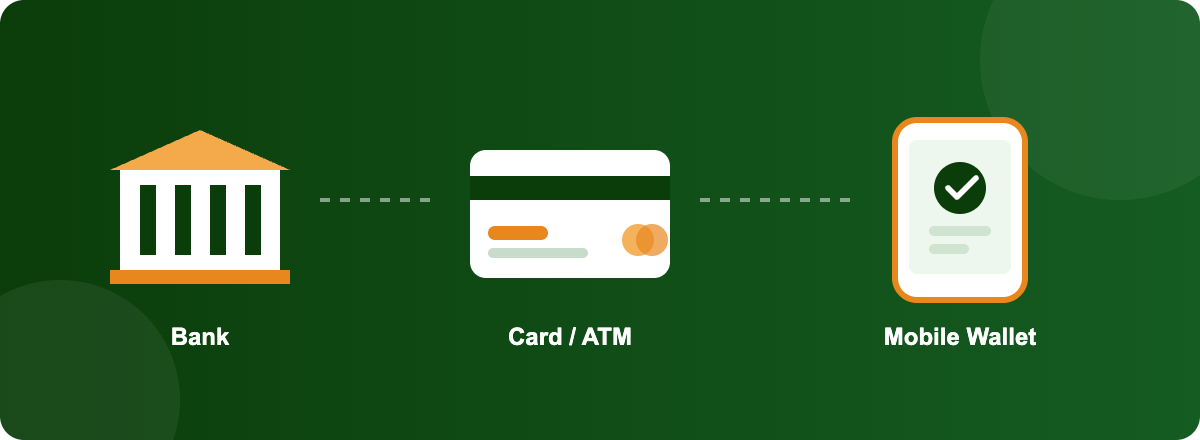
    Icons showing three ways to pay an e-challan in Pakistan: bank, card or ATM, and mobile wallet

    Method How it works
    JazzCash / Easypaisa Enter your vehicle number or challan ID under “Traffic Challan” in the app
    Mobile/internet banking Most major banks (HBL, MCB, Meezan, and others) list it under bill payments
    ATM Select “Bill Payment” then “Traffic Challan” on supported bank ATMs
    National Bank of Pakistan branches The official offline option for Punjab challans


    Keep the receipt. If your challan status doesn’t update right away after paying, that receipt is your proof.

    ⚠️What Happens If You Don’t Pay

    Consequence Details
    Penalty points Punjab attaches points to serious violations (overspeeding, signal jumping, etc.). Hit the yearly limit and your license gets suspended.
    Blocked transactions Unpaid challans, especially for number plate or registration issues, can hold up vehicle transfers and registration renewals.
    FIR / court case Serious offenses—over 150 km/h on the motorway, drunk driving, and hit-and-run—go beyond a fine into legal proceedings.


    💡If a challan was issued by mistake—wrong plate read, a vehicle you already sold, a camera error—you can dispute it. Take your proof (sale deed, transfer papers, and photos) to the relevant facilitation center and file a review request. It won’t clear itself; you have to raise it.

    ❓Quick Answers

    ❓Can a traffic officer take my fine in cash on the road? No, not in Punjab. Payment only goes through banks, wallets, or online portals.


    ❓How do I know if I have a pending challan? Check the official portal using your vehicle number or CNIC. Don’t wait for an SMS — it can be delayed or missed.


    ❓Will an unpaid challan block my license renewal? It can, especially with accumulated penalty points or repeated violations.


    ❓Can I dispute a wrong challan? Yes—visit the traffic police facilitation center with supporting documents.


    ❓Are motorway fines different from city fines? Yes, and generally higher. The 150 km/h cutoff also brings an FIR, not just a fine.


    Do fine amounts change over time? Yes, Punjab’s schedule has been revised more than once, and motorway rates too. Always check the live official rate, not a figure from an old article.